ibis Paint
ibis inc.Art & Design
4.51.24K Reviews
- Version
- 14.0.11
- Installs
- 100.00K
- Age Rating
- Everyone
Screenshots
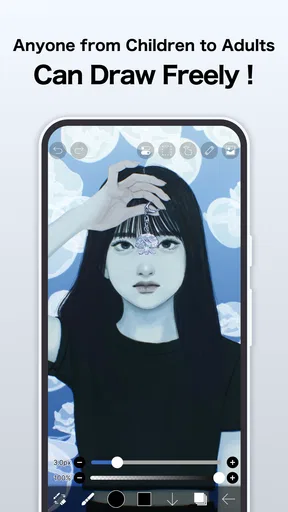
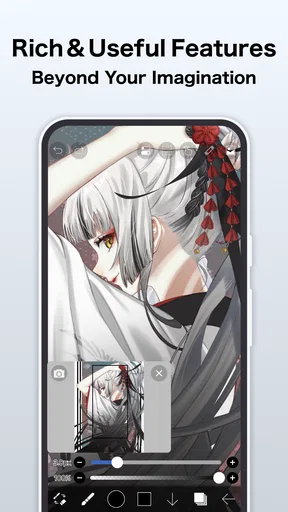

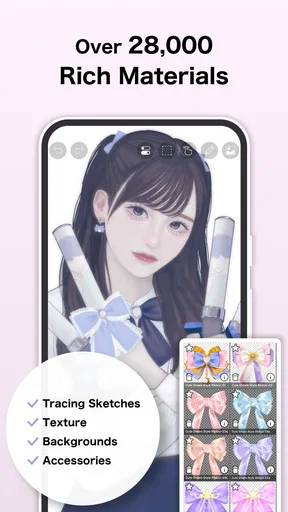
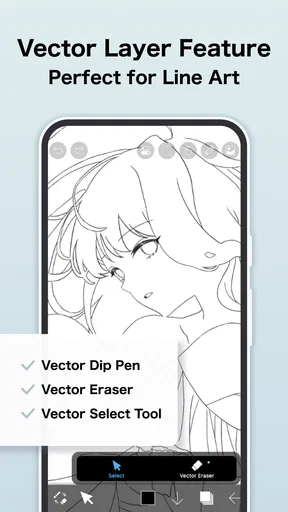
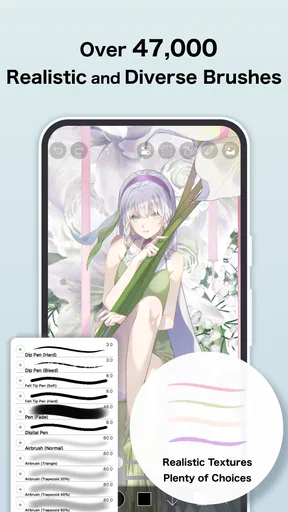
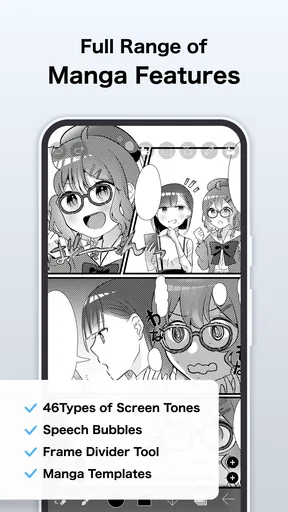
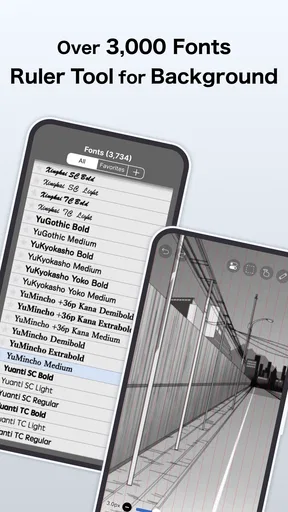
Our Review of ibis Paint
 Analysis by Appyee
I often think of drawing apps as a balance between freedom and friction: there should be enough tools to shape an idea, but not so many that every sketch turns into a settings session. ibis Paint aims for the broad end of that balance. It is an art and design app from ibis inc., and its familiar canvas-and-brush approach makes it approachable, even though getting comfortable with its deeper options takes longer. I would consider it for anything from a quick character study to a carefully layered illustration, with one important caveat: the paid version costs $15.99, and Prime Membership is required for all features.
What to expect from the pace of drawing
For ordinary sketching, I would expect the app to feel most at home when I can focus on the drawing rather than constantly changing tools. The canvas, colors, and brush controls are close at hand, so a simple idea can become a rough sketch without much setup. That matters when I only have a few spare minutes and want to capture a pose or composition before I forget it.
Speed is not just about how quickly a brush responds; it is also about how many choices I have to make. ibis Paint offers a large brush selection, which is useful once I know the effect I want, but can slow me down while I am still browsing. I get better results by choosing a small set of dependable brushes for a project, then experimenting only when the artwork calls for it. That keeps the interface from becoming a distraction.
When a project gets demanding
A layered illustration asks more of both the artist and the device than a quick doodle. Separating a sketch, line work, and color into different layers gives me room to revise one part without repainting everything else. The trade-off is that layer management adds decisions: I need to name or organize layers sensibly and keep track of where each part belongs. For a one-minute note, that structure is overkill; for a drawing I expect to revisit, it can save real effort.
Brush adjustments also reward a deliberate workflow. Rather than changing size, opacity, and angle repeatedly mid-stroke, I would settle on a few settings for line work and keep another brush ready for shading or texture. This is a practical way to make a detailed session feel steadier, especially on a small screen where opening controls interrupts the flow. The app’s range is an advantage, but it works best when I use that range with a plan.
Reliability and the habit of saving
Any drawing app becomes frustrating if a long session feels fragile. I treat ibis Paint like a workbench: after a meaningful stage, I pause to check that the drawing is saved and that the layers still make sense before moving into a more involved pass. That habit is useful in any creative app, and especially when a piece has enough detail that recreating a lost section would be painful.
I also prefer to test a new brush or technique on a separate layer before applying it to finished lines. It is a low-cost way to judge whether an effect suits the piece, and it makes experimenting less risky. The undo function is helpful for correcting strokes, but it is not a substitute for a tidy workflow: keeping key elements separate gives me more control than trying to reverse a long chain of changes.
Device fit and everyday use
Drawing on a phone makes spontaneous practice easy, but the limited screen area can make fine details and layer controls feel cramped. A larger tablet is a more comfortable choice for longer sessions, while a phone is perfectly sensible for thumbnails, color ideas, and short sketches. I would also think about how much room I have to work before beginning a high-detail piece; zooming in and out is manageable, but it can interrupt the rhythm when the canvas is small.
The app is rated for Everyone and supports devices running Android 7.0 or later. Its current version is 13.1.18, and the paid app has an average rating of 4.5 from around 11 thousand ratings, with over 100 thousand installs. Those figures suggest it has found an audience, but they cannot tell me whether its controls suit my hands or screen. I would judge that by trying a short sketch first rather than committing to a complicated illustration immediately.
Who will get the most from it
I think this app is a good fit for people who want to draw regularly and grow into a more structured digital workflow. Beginners can start with simple sketches, then learn how layers and brush adjustments help when they want cleaner results. More experienced hobbyists may appreciate having several kinds of brush behavior available in one place, particularly when moving between line art, painting, and small studies.
It is less compelling if all I need is a basic markup tool for adding an arrow to a screenshot or writing a quick note. In that situation, a lightweight built-in editor is faster because it asks less of me. I would also hesitate if I wanted every available feature without a membership: the store summary says Prime Membership is required for all features, so the $15.99 purchase alone should not be assumed to unlock everything.
Getting Started with ibis Paint
When you first open ibis Paint, it's like stepping into an art supply store. You’ve got your canvas, various brushes, and a whole array of colors at your fingertips. The interface is pretty intuitive, so you won’t need to spend hours trying to figure out how things work. Trust me, you’ll be creating in no time.
Features That Will Make You Say "Wow"
One of the first things you’ll notice is the sheer number of brushes available. We’re talking over 300 different types! Whether you’re into inking, watercolor, or oil painting, ibis Paint has got you covered. Plus, you can adjust each brush’s opacity, size, and angle to get the exact effect you’re looking for.
Another cool feature is the layer system. If you’re familiar with Photoshop or other digital art software, you’ll feel right at home. Layers let you work on different parts of your art without messing up other areas. It’s like having multiple transparencies stacked on top of each other. Super handy, right?
A Community of Artists
ibis Paint isn’t just about creating art; it’s about sharing it too. The app has an online gallery where you can post your masterpieces and get feedback from other artists. It’s a great way to get inspired and see what others are creating. Plus, if you’re feeling stuck, you can always check out other artists’ speed-painting videos for tips and tricks.
The Learning Curve
Now, don’t get me wrong. There’s a learning curve if you’re new to digital art. But the app offers plenty of tutorials to help you get the hang of things. From basic techniques to advanced tips, there’s a wealth of information to help you improve. Plus, the community is super supportive, so you'll always have someone to turn to if you need advice.
Comparing it with other ways to draw
Compared with a basic phone drawing tool, ibis Paint gives me a much broader workspace for deliberate illustration: brush choices, adjustable settings, and layers make it easier to revise a picture instead of treating every mark as final. The trade-off is complexity. If I only want to crop an image, add a label, or make a quick annotation, the ordinary editor is the sensible option; opening a full art app for that job is like setting up a studio to write a shopping note.
Against a desktop art program, the appeal is convenience rather than a claim that a phone or tablet replaces every part of a desktop workflow. I can sketch on the couch, make a small study during a break, or try a color palette without sitting down at a computer. For intricate work, I would still favor a larger display and a setup that leaves room for references and controls. The best choice depends on whether portability or workspace matters more for the project.
A realistic session, from idea to cleanup
Suppose I have a short wait at a café and want to remember an idea for a character. I would begin with a loose silhouette, then keep the rough construction separate from the cleaner lines. If the pose feels wrong, I can revise the sketch without damaging the more polished pass. I would add color only after the shape reads clearly, rather than spending time shading a design I may still change.
That workflow also helps when I return to the piece later. A quick note about what each layer contains, plus a small group of brushes I already know, makes it easier to pick up where I left off. I would keep the first version simple and avoid filling the canvas with decorative detail until the main forms work. This is not a special trick so much as a useful way to make the app’s layer and brush options serve the drawing instead of becoming the drawing.
Small decisions that make the app easier to use
One practical habit is to test an unfamiliar brush away from the focal area of the artwork. A brush that looks promising in the selector may leave a texture or edge that does not fit the piece, and testing first saves cleanup. I also like to make a quick color study before committing to a full background: a few broad patches can reveal whether the palette is working without forcing me to repaint detailed areas.
Another useful trade-off is knowing when not to use more layers. Separate layers give me flexibility, but a casual sketch does not need an elaborate stack. I would reserve extra separation for parts I expect to revise independently, such as line work and color, and keep exploratory doodles uncomplicated. That keeps a project easier to navigate, particularly when working with touch controls on a small display.
Cost, commitment, and who should pass
The pricing deserves a clear-eyed look. The app costs $15.99, and in-app purchases range from $1.99 to $49.99 per item; Prime Membership is required for all features. I would check which access level suits my intended use before paying, rather than assuming that purchasing the app automatically covers every capability. If I draw only occasionally, a free or simpler option may be enough. If I use it often and value the broader toolkit, the purchase may make more sense, provided the membership requirement fits my budget.
There is a useful audience signal in its 1.2 thousand written reviews as well as its average score, but neither replaces trying the interface. The app has been available since Oct 24, 2019, and its current release is 13.1.18. I would treat those details as context, not proof that it will feel comfortable on every device. Artists who depend on a very large canvas, extensive desktop-style organization, or a minimal interface may prefer a different tool built around those priorities.
Learning without turning practice into homework
The tutorials and community can help, but I would approach them with a specific question rather than trying to absorb everything at once. For example, if line work feels uneven, I would look for a lesson related to that problem, then test the idea on a small study. If I am unsure how to manage color, I would practice on a separate drawing rather than risk a piece I already like. Short, focused experiments make a large toolset less intimidating.
The gallery can also serve as a source of reference for process, not just finished art. Watching a speed-painting video, I would pay attention to the order of decisions: what the artist establishes early, what they postpone, and how they simplify shapes before adding detail. Copying a workflow for practice is more useful than merely comparing my finished sketch with someone else’s polished result. That perspective makes the community a learning aid instead of a source of pressure.
Final Thoughts
So, is ibis Paint worth downloading? If you’re someone who loves to create and wants a versatile platform to bring your ideas to life, then absolutely! The app is packed with features that cater to both beginners and seasoned artists. And the best part? You can start creating right away without any complicated setup.
Whether you’re on the bus, at a café, or just chilling at home, ibis Paint lets you create anywhere, anytime. So go ahead, download the app, and unleash your inner artist. Who knows? You might just surprise yourself with what you can create!
My performance verdict
For short sketches and controlled illustration sessions, I see ibis Paint as a practical portable studio rather than a tool whose speed I would judge by a headline feature. Its brush variety and layers can make a project feel responsive to my choices, while browsing options or managing a crowded canvas can slow the rhythm. Keeping a few familiar brushes, separating only the parts I may revise, and working at a scale that suits the screen are the habits that make the biggest difference.
I would start with a modest drawing on the device I plan to use, then see how comfortable the controls feel before investing time in a detailed piece. If I want a rich set of drawing tools and enjoy learning a flexible workflow, I would give it a try. If I need a minimal editor, a large desktop workspace, or access to every feature without a membership, I would look elsewhere. That is the honest dividing line: ibis Paint can reward regular practice, but it is not automatically the simplest or best fit for every artist.
Verdict
Strengths of ibis Paint
- Extensive brush selection enhances creativity.
- User-friendly interface for smooth navigation.
- Supports layers like professional software.
- Regular updates with new features.
- Strong online community for tutorials and support.
Limitations of ibis Paint
- Ads can be intrusive during use.
- Some tools require in-app purchases.
- May lag on older devices.
- Export options are somewhat limited.
- Learning curve for beginners.
Other Releases by ibis inc.
View All
ibis Paint X
Art & Design4.5
Similar Picks in This Category
View All
Canva: AI Photo & Video Editor
Canva4.8

PENUP – Drawing-sharing SNS
Samsung Electronics Co., Ltd.4.5

Crafto
Kutumb App4.6

Sketchbook
Sketchbook4.1
ibis Paint X
ibis inc.4.5

Adobe Express: AI Photo, Video
Adobe4.6
Frequently Asked Questions
What is ibis Paint and what are its main features?
ibis Paint is a versatile drawing app available for both Android and iOS platforms. It offers over 2500 materials, 800 fonts, 379 brushes, 66 filters, and 46 screen tones. The app supports real-time brush previews and boasts a smooth, high-speed drawing experience. Users can also record their drawing processes and share them with the community.
Is ibis Paint suitable for beginners or only for professionals?
ibis Paint caters to both beginners and professionals. It offers intuitive tools and tutorials for newcomers, while providing advanced features like layer support and customizable brushes for experienced artists. Its user-friendly interface makes it accessible to everyone, allowing users to gradually master its capabilities as they grow more confident.
Are there any in-app purchases or subscriptions in ibis Paint?
Yes, ibis Paint offers in-app purchases, including premium features like additional brushes and ad removal. Users can opt for a monthly or yearly subscription to unlock all premium tools and resources. While the free version is quite robust, the premium options enhance the drawing experience significantly for those who choose to invest.
Can I use ibis Paint offline, or does it require an internet connection?
ibis Paint can be used offline, allowing you to draw and create illustrations without an internet connection. However, certain features like downloading additional materials, accessing the app's online community, and syncing with cloud services will require being online. Plan your workflow accordingly to make the most of both offline and online features.
How does ibis Paint support collaboration and sharing with other artists?
ibis Paint supports collaboration through its online community where users can share their art, gain feedback, and participate in contests. The app allows you to upload your creations and even the drawing process videos to platforms like YouTube. This fosters a collaborative environment, encouraging interaction and learning among artists.
